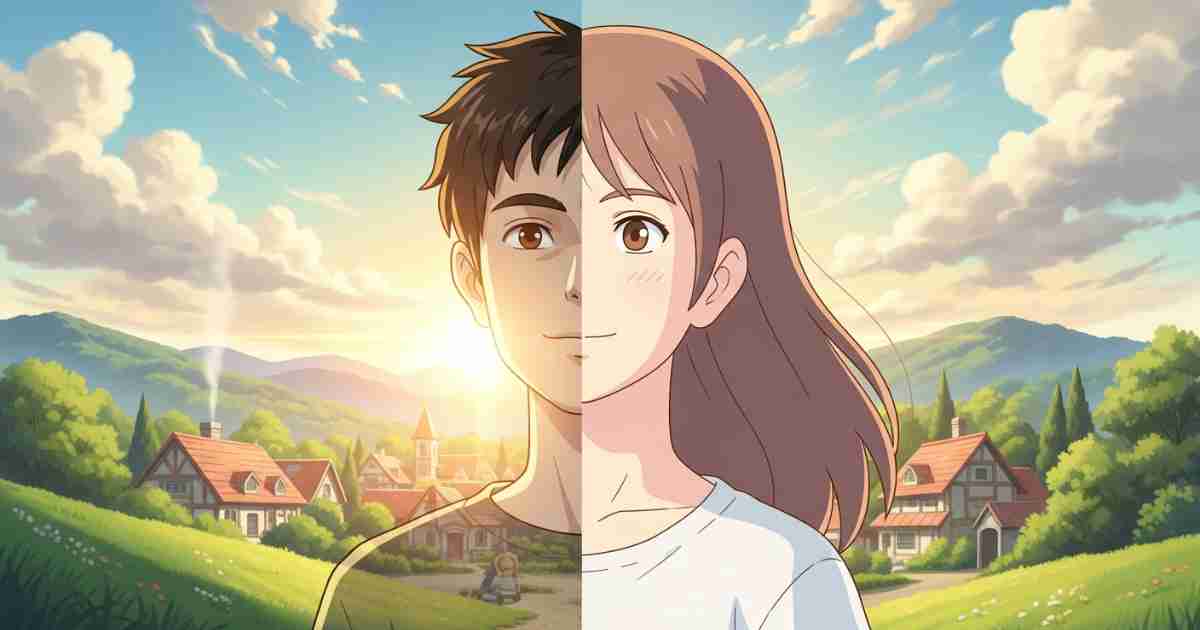
Studio Ghibli movies are loved all over the world. Their art style feels soft, emotional, peaceful, and magical. The colors are warm, the backgrounds look like paintings, and the characters feel alive and innocent. Because of this beauty, many people now want their own photos to look like Ghibli-style art.
Thanks to AI, this is now possible. You do not need to be an artist. You do not need drawing skills. You just upload your photo, and AI does the work for you.
In this blog, I will explain AI tools to convert photos to Studio Ghibli style in very very simple language, step by step.
What Is Ghibli Style? (In Simple Words)
Ghibli style means:
- Soft and natural colors
- Dreamy sky and clouds
- Cute and calm faces
- Nature like trees, grass, rivers
- Painting-like background
AI tools learn this style and apply it to your photo.
How AI Converts Photos to Ghibli Style
AI uses image-to-image technology.
Simple process:
- You upload a photo
- AI understands the face, background, and light
- AI redraws the image in Ghibli-inspired art style
- You download the final image
Some tools do this in one click, and some give advanced control.
1. Fotor – Best for Beginners
Fotor is one of the easiest AI tools.
Why Fotor is good:
- Very easy to use
- No technical knowledge needed
- One-click Ghibli-style filter
- Works on mobile and desktop
How to use:
- Open Fotor website
- Upload your photo
- Choose “Anime” or “Ghibli style” filter
- Click apply
- Download image
Best for:
- Profile pictures
- Instagram photos
- Casual users
2. Getimg.ai – More Control, Better Quality
Getimg.ai is powerful and flexible.
Why Getimg.ai is good:
- Image-to-image feature
- Better control over style
- High-quality results
- Supports Ghibli-inspired prompts
How to use:
- Upload your photo
- Choose image-to-image mode
- Write prompt like:
“Ghibli-inspired art, soft colors, dreamy background” - Generate image
Best for:
- Content creators
- Bloggers
- YouTubers
- Designers
3. Stable Diffusion (Advanced Users)
Stable Diffusion is for people who want full control.
Why Stable Diffusion is powerful:
- Custom Ghibli models available
- High-quality artwork
- Full creative freedom
Where you can use it:
- Online tools (no install)
- Hugging Face spaces
- AI art websites
Basic steps:
- Upload photo
- Select Ghibli-style model
- Adjust strength (keep it low for face accuracy)
- Generate image
Best for:
- Professional artists
- AI creators
- NFT designers
4. OpenArt & Other Online AI Tools
Many websites now offer Ghibli-style AI filters.
Benefits:
- No installation
- Fast results
- Some free credits
Limitations:
- Watermarks in free version
- Limited customization
Still great for quick fun images.
Tips for Best Ghibli-Style Results
Follow these simple tips:
- Use clear photos with good lighting
- Face should be visible
- Simple background works best
- Do not overdo the effect
- Try 2–3 tools and compare
Is It Legal to Use Ghibli Style AI?
Important note:
- These images are Ghibli-inspired, not official
- Do not sell them without checking tool license
- Use for personal, social media, or learning purposes
Always respect original artists.
Final Words
AI has made art easy for everyone. Now anyone can turn a normal photo into a beautiful Studio Ghibli–style image in minutes.
If you want simple and fast, use Fotor.
If you want better quality, try Getimg.ai.
If you want full control, go with Stable Diffusion.
These tools are perfect for:
- Social media
- Profile pictures
- Blog images
- Creative fun
- The magic of Ghibli-style art is now just one click away
For more updates visit ai study Gram